PINION SMARTSHIFT SETUP
We documented the Gearbox assembly of the VHP G2 in a youtube video. Most of the steps are shared with the VHPX, only the cable routing is different.
VIDEO - GEARBOX ASSEMBLY - VHP G2
TORQUES
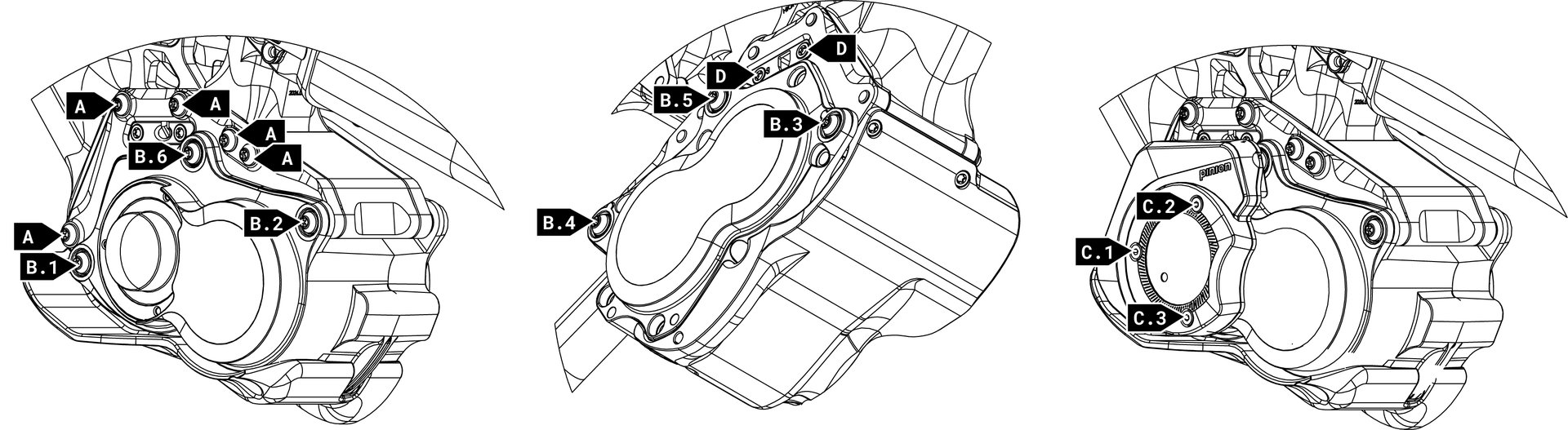
Position | Torque | Grease | Loctite 241/243 | Additionnal info |
A | 12Nm | ❌ | ✅ | |
B | 10Nm | ❌ | ✅ | Tighten the retaining screws in the specified sequence |
C | 2-3Nm | ❌ | ❌ | Tighten the retaining screws in the specified sequence while rotating the shaft forwards |
D | 2-3 | ❌ | ✅ |
GEARBOX CALIBRATION
- Install the Pinion Smartshift App and enable Bluetooth on your mobile
- Hold the bottom shift lever pressed for 3-10 seconds ( When you let go, the Smart.Shift will make a sound to signal that it is ready to pair. The LED flashes blue and the Smart.Shift can be paired wirelessly)
- In the app, select Add Device

- Tap Settings on the Device screen

- On the Settings screen, tap the Settings heading 8 times.

The B2B Settings selection field will appear. - Tap B2B Settings.

- Enter the B2B code. This code only needs tu be entered once.

- Tap B2B Settings and then enter the required inputs as followed :
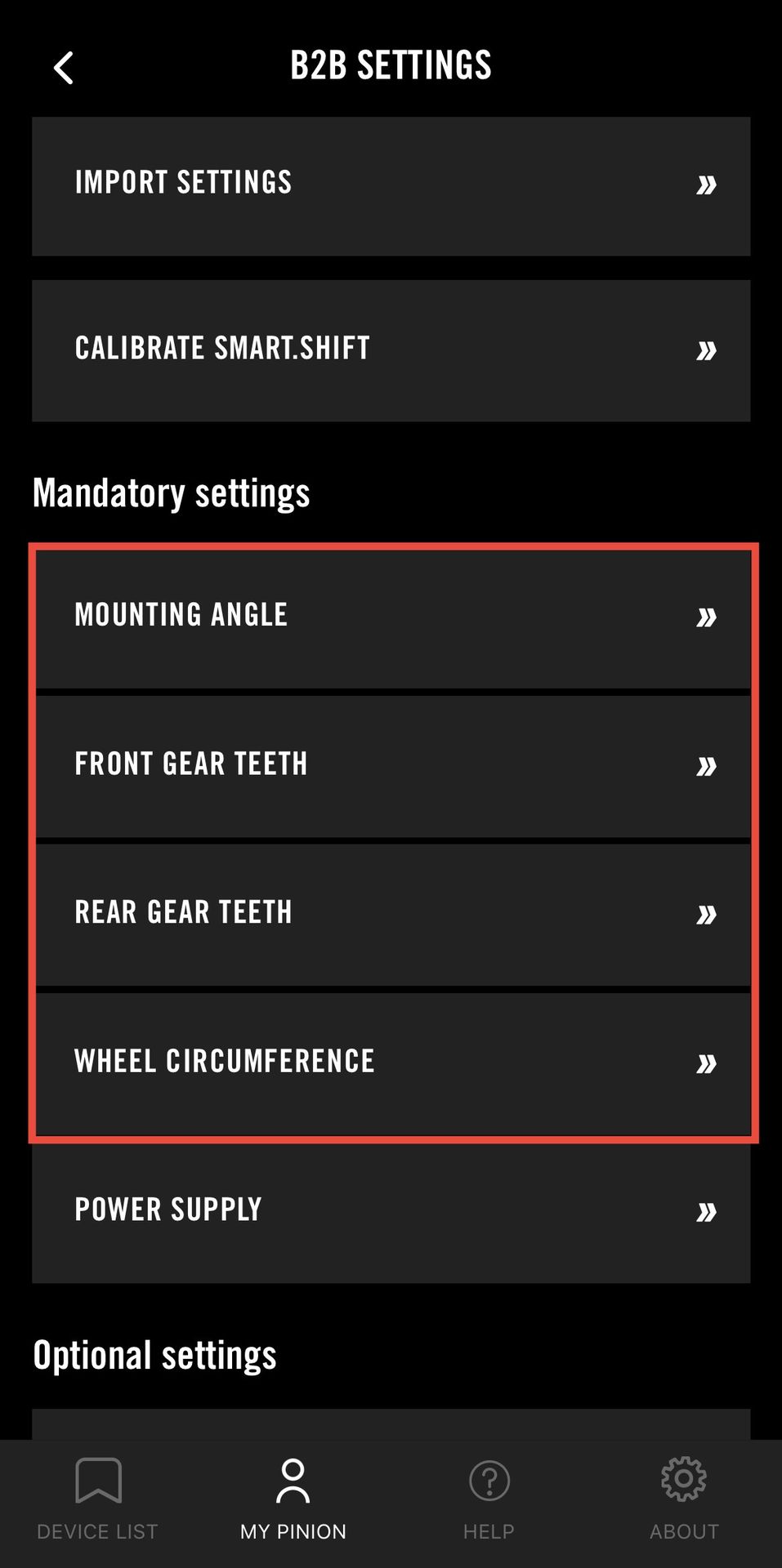
Mounting Angle | VHP G2 : 45° VHP X : 15° |
Front Gear Teeth | 26T |
Rear Gear Teeth | 26T |
Wheel Circumference | MX : 2234mm |
- 9. Tap Calibrate Smart.Shift to calibrate your gearbox